KidwioAI: AI Chatbot for Kids
A safe, friendly buddy that answers anything a curious 5 to 12 year old asks, in a short chat or on a whiteboard they can play with.
- Ages 5 to 12
- For curiosity, not homework
- Every message safety-screened
Free to try, no card needed. On iPhone or iPad, add Kidwio to your Home Screen.
Meet the buddies
Eight original characters. Each child gets one at random and can switch whenever they like. Every buddy has its own voice and personality, and they all follow the same safety rules.
Hazel
the owlA wise little owl who loves big questions and starry nights.
Tully
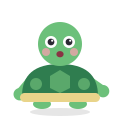
the turtleA calm turtle who takes things one step at a time.
Maple
the foxA curious fox who always asks "what if?"
Rivet
the robotA friendly robot who loves building, numbers and beeps.
Mango
the dragonA brave, gentle dragon who loves stories and adventures.
Pip
the penguinA giggly penguin with a joke for every chilly fact.
Coral
the octopusAn arty octopus with eight arms full of ideas.
Clover
the bunnyA kind bunny who loves nature, gardens and feelings.
How it works
No school subjects, no tests. Just whatever your child is wondering about today.
-
Ask anything
Why is the sky blue? What do sharks eat? Your child types a question, or taps one of the answers on the board.
-
The board explains
Their buddy answers at their age, out loud with captions. When a picture helps, it draws the answer on a whiteboard.
-
Play with it
Kids drag, sort, pick, slide and draw right on the board, and the buddy cheers when they get one right.
Five ways to play on the board
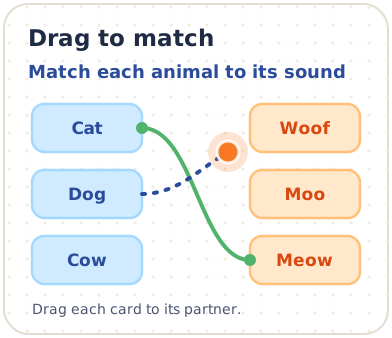
Drag to match
Match each animal to its sound
Drag an animal onto its sound, or tap one and then the other.
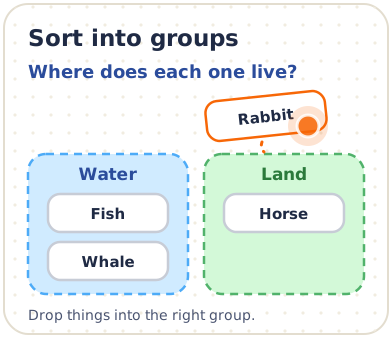
Sort into groups
Where does each one live?
Drag each animal to where it lives, or tap it and then a group.
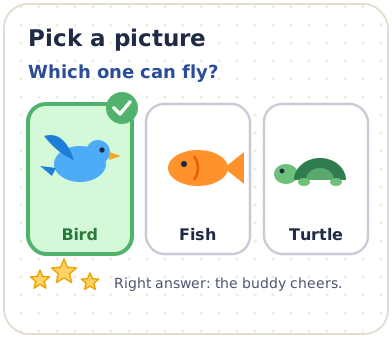
Pick a picture
Which one can fly?
Tap the one that can fly.
Step slider
Slide to watch a seed grow
Slide to grow the seed.
Draw on the board
Draw your favourite animal
Your drawing stays on this page. Nothing is uploaded.
Simple versions of the board blocks, to play right here.
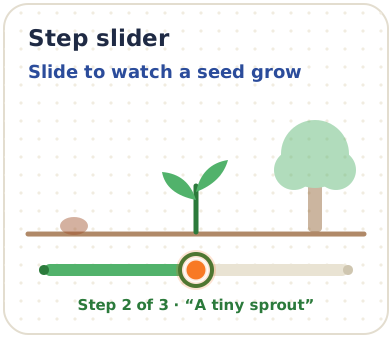
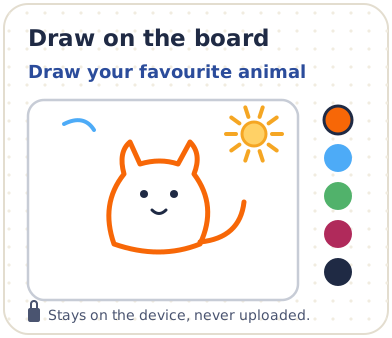
Swipe to see all five.
These are illustrations, not screenshots.
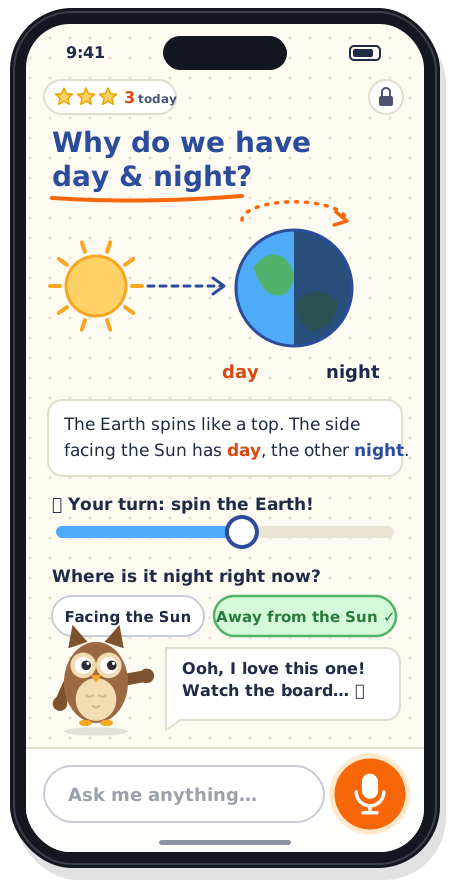
What kids see
One big board, a buddy and a box to ask in. Nothing else to get lost in.
The board is the app
The answer fills the screen, drawn and labelled while the buddy explains it.
A buddy who talks and points
Answers are read out loud with captions, at your child's age: short and gentle for a 6-year-old, fuller for an 11-year-old.
A quick check, then stars
Tap-to-answer questions keep it playful. Stars are praise, never a streak to keep up.
Nothing for grown-ups
No prices, ads, outside links or settings. When the free chats run out, the buddy just says "Ask your grown-up to unlock more!"
An illustration, not a screenshot. Kids type or tap for now: the microphone is switched off.
For grown-ups
Kidwio is made for kids and run by you. The grown-up side lives in the same app, behind your own login and PIN.
Parent login and PIN
You sign in as the parent. A parent PIN keeps the grown-up side closed to little fingers.
A profile for each child
Add each child with their first name and age. Answers and boards match their age, and each child gets their own buddy.
Chat history
Read your child's chats, boards included. There is one careful exception.
Wellbeing
See moods, topics that came up and anything the safety check flagged, with an alert if your child seems worried or at risk.
Topics to avoid
Pick topics the buddy should leave for you. It says "That's a great one to talk about with your grown-up."
No hooks
No streaks, no "one more" tricks and no way to talk to other children.
Chats Wellbeing Safety alert
Swipe to see all three.
Illustrations, not screenshots.
Screenshots
Kidwio as it looks today, in the beta.
iPhone and iPad

The board explains 
Play with it 
Pick a buddy 
The grown-up gate 
Chats 
Wellbeing 
Plans
Mac

The board explains 
Play with it 
Pick a buddy 
The grown-up gate 
Chats 
Wellbeing 
Plans
Safe by design, and never behind a paywall
Every message is checked
Everything your child sends, and every reply and board, is screened before it reaches them.
Help comes first
If your child sounds worried or upset, the buddy answers kindly and shows helplines for your country. That help never runs out and never needs a subscription.
Nothing to buy or click away to
Kids never see prices, ads, purchase buttons or outside links. Those stay on the grown-up side.
Our admin tools never show chats
Chats are for the grown-ups in your family. Our admin tools show counts, never conversations.
Pricing
Start free. One plan covers your family, and paid plans have no daily limits.
Free to try
$0
5 chats (up to 10 messages each) and 3 whiteboards per family. No card needed.
1 kid
$8.99 a month
or $89.99 a year
2 kids
$12.99 a month
or $129.99 a year
3 kids
$15.99 a month
or $159.99 a year
4–6 kids
$19.99 a month
or $199.99 a year
Always free, paid or not
- Safety help and helplines for your child
- The grown-up side: chats, wellbeing and alerts
- Exporting or deleting your child's data
Prices in US dollars. Yearly plans work out to 2 months free.
See pricing detailsGet Kidwio
Kidwio is in beta. Use it in your browser, download the Mac app, or add it to your iPhone or iPad Home Screen.
-
In your browser
Open app.kidwio.com on a computer or tablet and sign in as the parent.
Open Kidwio -
Mac beta
Download the beta app for Mac. It comes as a .dmg file.
It's an unsigned beta, so the first time, right-click Kidwio and choose Open.
Download for Mac -
iPhone and iPad
- Open app.kidwio.com in Safari.
- Tap Share.
- Choose Add to Home Screen.
Kidwio then opens from your Home Screen like an app. This is how to use it on iPhone and iPad until the App Store version is ready.
Questions
Is Kidwio for homework?
No. Kidwio is for curiosity: animals, space, how things work, big feelings and whatever else your child wonders about. There are no school subjects, lessons or tests.
What ages is it for?
Kids aged 5 to 12. You set your child's age, and the buddy changes how it talks and how busy the board gets: short sentences and big pictures for the youngest, fuller explanations for older kids.
Can I read my child's chats?
Yes, boards included, on the grown-up side. There is one careful exception: if a child says someone at home is hurting them, the buddy shows helplines, and that part of the chat is not shown to parents. Read why.
How do you keep it safe?
Every message, reply and board is screened before your child sees it. If your child sounds worried, the buddy answers kindly and shows helplines, and you get an alert. No safety check is perfect, so we explain the limits too. How safety works.
Does my child need their own account?
No. A parent or guardian signs up and adds each child as a profile. Children can't create accounts.
What does it cost?
Every family can try 5 chats and 3 whiteboards free. After that, plans start at $8.99 a month for one kid. See all plans.
Which devices does it work on?
Kidwio runs in your browser at app.kidwio.com, and there's a beta app for Mac. On iPhone and iPad, add it to your Home Screen from Safari. It isn't in the App Store yet.
My Mac says the app can't be opened. What do I do?
The Mac beta isn't signed yet, so macOS asks you to confirm the first time. Right-click Kidwio in your Applications folder, choose Open, then choose Open again. After that it opens normally.
Something else? Visit help or email support@kidwio.com.